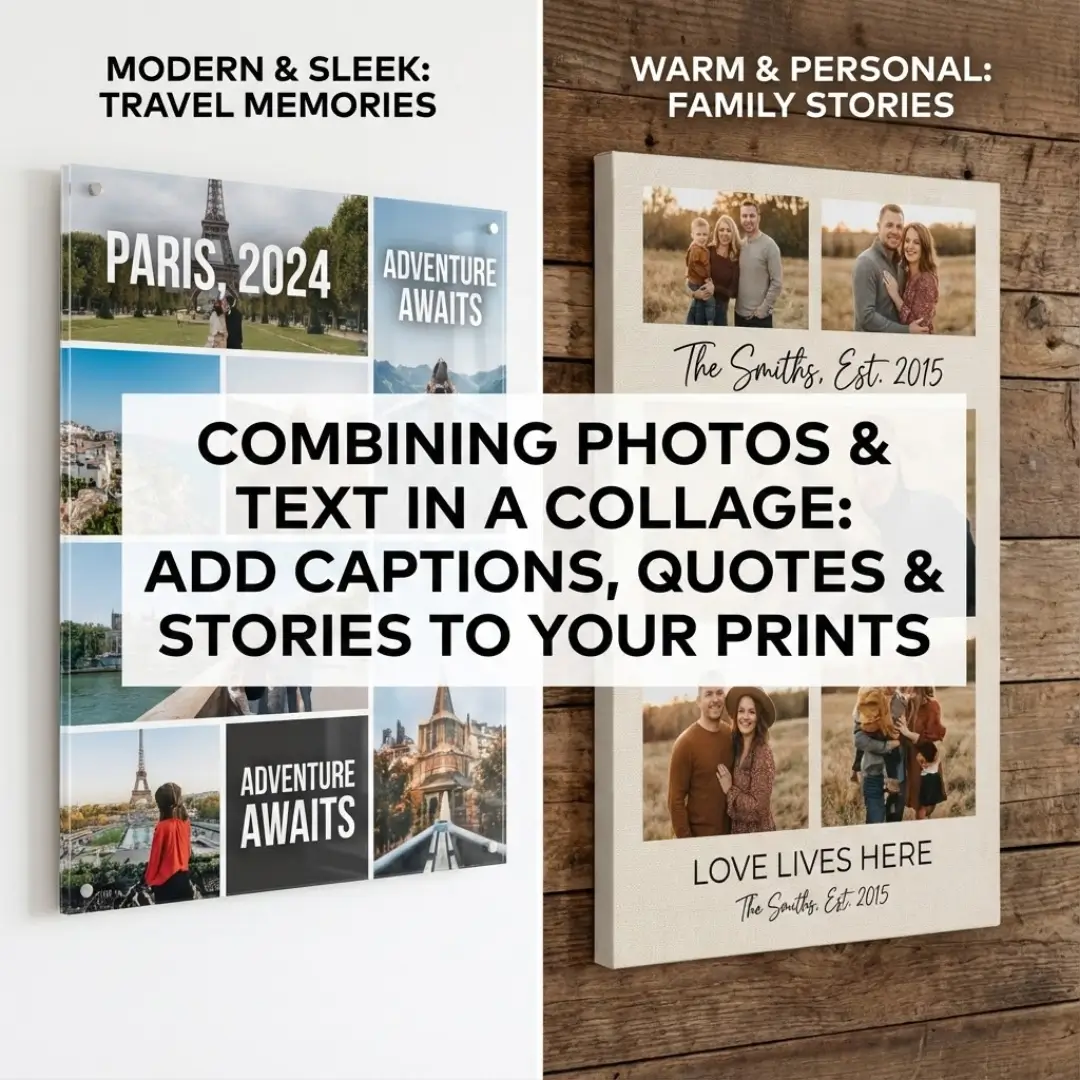
A picture is worth a thousand words, but sometimes, a few well-chosen words can make a picture unforgettable. We often scroll through social media, pausing on images that are paired with the perfect caption or quote. That combination of visual and verbal storytelling is powerful. So, why not bring that same impact to your home decor?
Creating a photo collage with text allows you to do more than just display faces and places; it lets you tell a complete story. Whether it’s a family motto, a wedding date, or an inspiring quote, adding text transforms a simple collection of images into a personalized piece of art.
If you’ve ever struggled to find the right balance between images and words on a wall display, this guide is for you. We will explore practical design tips, creative layout ideas, and the best ways to integrate captions into your next collage project.
Why Add Text to Your Photo Collage?
Combining photography with typography is a design trend that isn’t going away. It adds context, emotion, and personality to your wall art. Here is why you should consider a photo collage with text for your next print.
1. It Tells a Clearer Story
A group of vacation photos is beautiful, but adding “Summer in Santorini, 2024” instantly anchors those memories in time and place. Text provides the context that might otherwise fade over the years.
2. It Adds Emotional Weight
Sometimes, the feeling of a moment is best captured in words. Adding “Love Lives Here” to a family portrait series or “Just Married” to wedding shots enhances the emotional resonance of the display.
3. It Fills Negative Space
From a design perspective, text is a great tool for balancing a layout. If you have an awkward gap in your arrangement, a stylish quote or date can bridge the space perfectly without making the collage look cluttered.
Creative Ideas for Photo Collages with Text
Stuck on what to write? The beauty of a photo collage with text is its versatility. Here are several popular themes to inspire your design.
The Family Narrative
Celebrate your family unit by combining candid shots with your family name or a meaningful date.
- Text Idea: “The Smiths – Est. 2015”
- Layout Tip: Place the text in the center with photos surrounding it for a balanced look.
- Perfect For: A stunning family photo collage in the living room.
The Travel Diary
Turn your travel photos into a visual journal. Instead of just photos, include the destination names and dates.
- Text Idea: “Adventure Awaits” or specific city names like “Paris | London | Rome”
- Layout Tip: Use a grid layout and alternate between photo squares and text squares.
- Perfect For: Remembering your best trips with a travel photo collage.
The Inspirational Wall
Combine beautiful, abstract, or nature photography with motivational quotes. This is great for home offices or workout spaces.
- Text Idea: “Dream Big,” “Hustle & Heart,” or “Breathe.”
- Layout Tip: Overlay the text directly onto a landscape photo with high contrast.
- Perfect For: An acrylic quote wall art piece that keeps you motivated.
Design Tips: How to Balance Photos and Text
Creating a cohesive photo collage with text requires a bit of design know-how. You don’t want the text to overpower the images, nor do you want it to get lost.
1. Choose the Right Font
The font style sets the mood.
- Serif Fonts: Classic, elegant, and traditional. Great for weddings and anniversaries.
- Sans-Serif Fonts: Modern, clean, and minimal. Perfect for travel or architecture photos.
- Script Fonts: Romantic, playful, and personal. Ideal for baby photos or family quotes.
2. Contrast is Key
Legibility is crucial. If you are placing text directly over a photo, ensure there is enough contrast.
- Dark Text: Use on light, airy backgrounds (like a sky or a white wall).
- Light Text: Use on dark, shadowy backgrounds.
- Drop Shadows: If the background is busy, add a subtle drop shadow or a semi-transparent box behind the text to make it pop.
3. Use Text as a Design Element
Don’t just slap a caption on top. Treat the text block as if it were another photo. In a grid layout, dedicate one entire square to a quote or date. This breaks up the visual density of the photos and gives the eye a place to rest. You can explore creative photo collage ideas beyond the grid to see how asymmetrical layouts handle text.
Choosing the Right Medium for Text Collages
The surface you print on affects how sharp your text looks.
- Acrylic Prints: Acrylic offers the highest definition. Text appears crisp and sharp, making it the best choice for intricate fonts or small captions. It creates a modern, high-end look.
- Canvas Prints: Canvas has a woven texture. While beautiful, the texture can slightly soften the edges of fine text. It’s best to use larger, bolder fonts on canvas to ensure readability.
- Framed Prints: A classic choice. You can print the collage on smooth matte paper, which handles text beautifully, and then frame it for a traditional gallery look.
If you are unsure which material fits your style, check out our guide on acrylic wall art vs canvas.
Creating Your Collage: A Simple Workflow
Ready to design your own photo collage with text? Follow these steps for a professional result.
- Curate Your Photos: Select 5-10 high-quality images.
- Draft Your Text: Decide on your caption, quote, or dates. Keep it short and sweet.
- Select a Tool: Use a design platform. You can find excellent options in our list of the top 5 free online photo collage makers.
- Experiment with Layouts: Try a “hero” layout with one large image and text below, or a grid with a central text block.
- Check Resolution: Ensure both your photos and your text are high-resolution (300 DPI) to avoid pixelation.
- Print: Upload your design to a professional printer.
If you are designing a collage specifically for a special event, like a wedding sign-in board, check out our tips on creative photo frame with message ideas.
Conclusion
A photo collage with text is one of the most personal pieces of art you can create. It combines the visual power of your memories with the context and emotion of words. Whether you are celebrating a milestone, motivating yourself with a quote, or simply labeling a beautiful vacation, adding captions elevates your print from a simple picture to a story.
Don’t be afraid to experiment with fonts, layouts, and materials. With a little creativity, you can design a masterpiece that speaks volumes.
Ready to start designing? Learn how to design a photo collage online and bring your vision to life today.
Frequently Asked Questions (FAQ)
Q: What is the best font size for a photo collage with text?
A: It depends on the size of your print. For a standard 16×20 inch wall print, titles should generally be at least 72pt, and smaller captions should be no smaller than 24pt to be readable from a few feet away.
Q: Can I add text to a canvas print without it looking blurry?
A: Yes, but avoid very thin or tiny fonts. The texture of the canvas can break up fine lines. Choose bold or sans-serif fonts for the best clarity on canvas materials.
Q: Where can I find quotes for my collage?
A: Look for inspiration in books, songs, or movie lines that resonate with you. Pinterest is also a fantastic resource for short, punchy quotes about family, love, and travel.
Q: How do I make text stand out on a busy photo?
A: The best way is to add a semi-transparent background shape (like a black or white rectangle) behind the text. This separates the words from the busy background image and ensures readability.
Q: Is it better to put text on the photo or in a separate border?
A: Both work well! Placing text directly on the photo feels modern and magazine-like. Placing text in a white border below or around the photos feels more traditional and gallery-style.
Q: Can I create a text collage using just my phone?
A: Absolutely. There are many apps available that allow you to layer text over images. However, for large wall prints, we recommend using a desktop tool or high-res app to ensure the final file quality is high enough for printing. See our guide on how to print photos from phone for more tips.